/ GUIDE
GOOGLE BUSINESS
PROFILE FOR
LAUNDROMATS
Use this checklist to keep your laundromat’s Google Business Profile accurate and useful: the right business identity, services, hours, photographs and next step for a local customer.
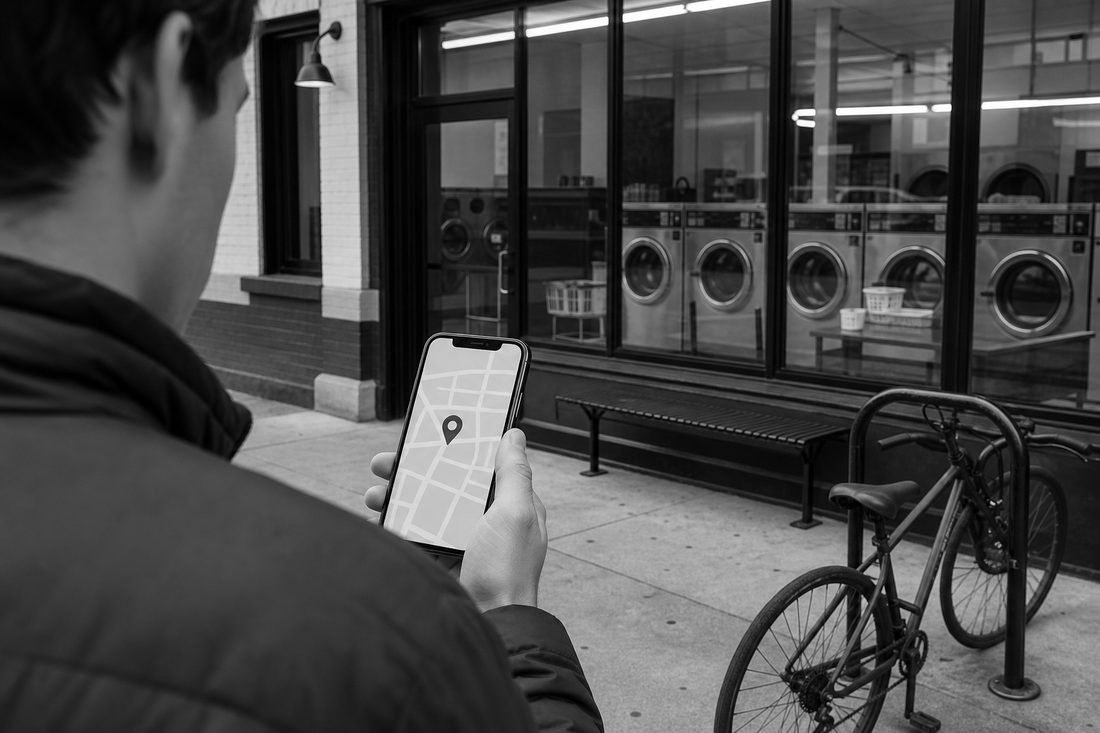
Laundromat GBP optimization means checking that the profile represents the real business and helps a customer decide whether to visit, call or book. Start with ownership and eligibility, then work through the information customers rely on.
Google describes local ranking through relevance, distance and prominence in its local ranking guidance. A complete profile can support discovery, but it does not guarantee a map position. This guide covers implementation; our GBP management service describes the managed scope.
Confirm ownership and verification
Search for the business by name and address before adding a profile. If the correct profile already exists, request access or claim it. For a profile controlled by someone else, follow Google's ownership request process. Resolve a duplicate through the appropriate support process rather than creating more listings.
Google determines the available verification methods. Follow the options displayed in the account and prepare the evidence requested for that method. Do not promise a particular method, approval or turnaround; the verification instructions describe current requirements.
Keep the business owner in control of the account. Add authorized managers with their own access rather than sharing a verification code or a single password across the team.
Choose categories that describe the business
Select the most specific available category that matches the main operation. A self-service laundromat, an attended laundry service and a dry cleaner can represent different activities. Confirm category wording in the live interface and add other categories only when they describe work the business actually offers.
Use Google's category guidance. There is no published weighting formula that lets an operator calculate a ranking benefit for a category change. Record the old and new settings and the reason for a correction.
For a store combining self-service and drop-off, the profile should match the actual business, while the website pages explain each customer journey in more detail.
Complete the business information
Check the public name, address or service area, contact number, website and description against the operator's approved records. Follow Google's representation guidelines; use the real business name rather than adding search phrases to it.
List accepted services separately where the profile supports them. Explain self-service, wash and fold, pressing or pickup only when available. Select attributes based on the actual facilities and the options Google exposes for the business.
Link a storefront profile to its relevant location page when that is the useful destination. Use the keyword research guide to understand customer language, without turning the description into a list of repeated search terms.
Keep hours and last-wash information current
Confirm normal opening hours with the store, then review holiday and exceptional closures. Google's special-hours instructions explain how to record exceptions. Make sure the website and any booking windows agree.
If last wash is earlier than closing, explain it visibly on the website and in an appropriate profile field where supported. Distinguish self-service access hours from attended drop-off availability when they differ. Assign someone responsibility for changes rather than relying on the agency to infer a closure.
Use photographs customers can trust
Show the real entrance, interior, machines, folding area and counter. Add images when equipment, signage or facilities change. Do not present a stock interior as a photograph of the business.
Choose clear photographs that help a first-time visitor recognize the store and understand the service. Follow Google's business photo guidance for supported formats and requirements. Get appropriate permission before including identifiable customers.
Invite honest feedback after real service
Give customers a direct review link after a genuine visit or completed order and keep the invitation optional. Do not offer a free wash, discount or prize for a Google review. Do not direct only satisfied customers to the public review page.
Our Google review-request guide provides staff scripts and a repeatable workflow. Google's Maps content policy sets the platform rules. Respond without exposing private order details and report a review only when there is a relevant policy concern.
Publish useful updates when something changes
A post can explain a new service, a temporary operating change or an actual offer. It should link to the page with the relevant details. Google's post guidance describes the feature; it does not prescribe a posting frequency that guarantees rankings.
Keep permanent service information on the website and in the relevant profile fields as well. Do not rely on an old post to explain a current price or opening time.
Connect each eligible location to the right page
For multiple storefronts, check each location's profile and website destination independently. Confirm that the phone number, services, access information and hours describe that store. A duplicate profile and a second real store are different issues.
For delivery-only or hybrid operations, use the profile setup that matches how customers interact with the business. The local SEO service covers that location and coverage work. Do not claim a storefront in a city where there is no eligible business location.
Test the next step from the profile
Open the website and any supported booking links on a phone. Confirm the destination is relevant, loads successfully and lets the customer continue without searching again for the service. Available local business links depend on the category and supported functionality; see Google's link guidance.
For pickup, check the full booking journey, including an unsupported address and a failed request. A working link is necessary, but it does not by itself prove the operation received an order.
Record changes and customer actions
Keep a dated record of profile corrections, website changes and exceptional closures. Review the available Business Profile performance metrics alongside website events and actual order or inquiry records. Some metrics are interactions rather than confirmed visits or sales.
Compare equivalent periods and note changes in opening hours, service availability or marketing. Search Console reports website search performance; it is not a substitute for every profile interaction. Our case studies show how source and period affect the interpretation of a result.
A maintenance checklist for the operator
- The correct owner and authorized managers can access the profile.
- The business name and categories reflect the real operation.
- Hours, contact details, services and coverage match the website.
- Current photographs help customers recognize the store.
- Review requests are neutral and point to the correct location.
- Website and supported booking links work on mobile.
- Changes and measurement limitations are recorded.
Use the laundry SEO guide to connect profile maintenance to the wider site. If the profile or website needs implementation help, request an audit.
- Published
- Updated
- Written by
- Samuel Godfrey
- Focus
- Laundry websites and search
/ QUESTIONS
- How do I verify my profile?
- Google determines the available verification methods. Follow the options shown in the account and prepare the evidence required by the current instructions.
- What are the best categories?
- Use the most specific available category that describes the core business. Add other categories only for activities the business actually provides.
- How often should I post?
- Post when there is a useful update, offer or event. Google does not document a posting frequency that guarantees local rankings.
- Can optimization guarantee the map pack?
- No. Local ranking depends on several factors, including distance, and a complete profile does not guarantee a particular position.
LAUNDRY·SEO
LET’S GROW
YOUR LAUNDRY
BUSINESS
Share a few details about your business, our team will come back with a short read on what’s costing you orders.
CONTACT/